

How to ask
Type in Ask, edit, or make something… and press Enter (⇧Enter adds a line). The box also sits under the Script tab, so you can ask while you read. For your most important work, click Auto at the bottom of the box to switch to Max.Get better results
- Say what you want and what it’s for. The Agent knows your product and brand, and asks if it needs more.
- Go back and forth. React to what it made, like “shorter” or “open with the problem”.
- Name other videos to reuse their look, like “the same intro as our Getting Started video”.
- Fix small things in a comment, at the exact moment on the timeline: press C and type after @Agent. See Review with comments.
While it works
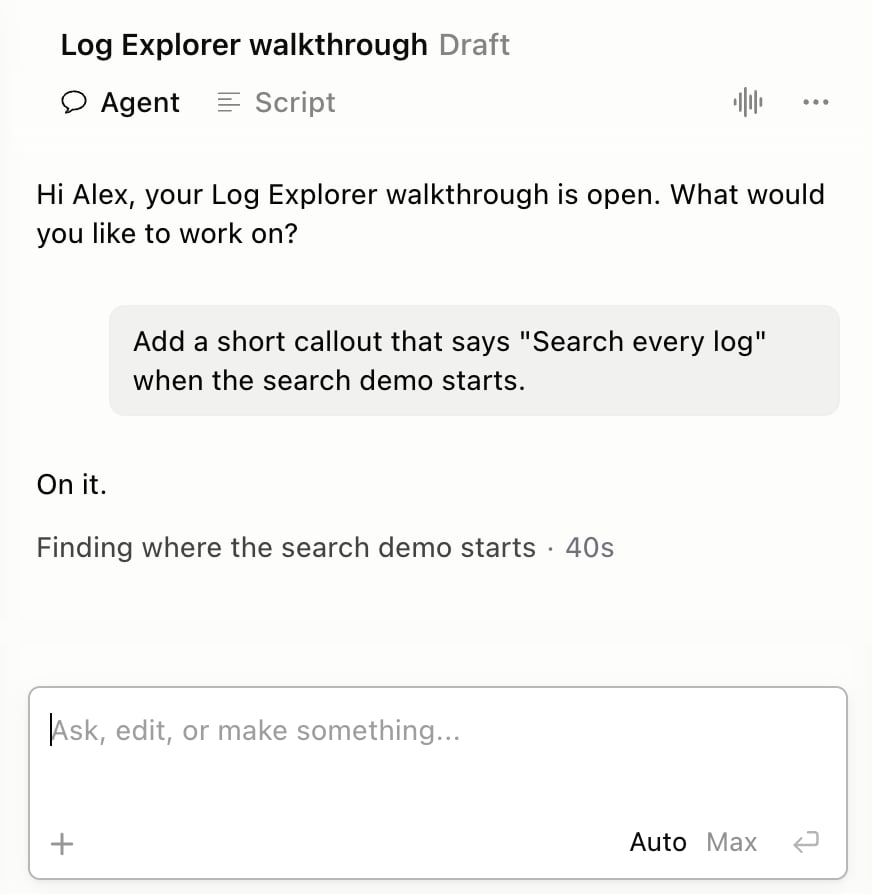
- To change direction, send a new message. To stop, tell it to stop. Unfinished work isn’t kept.
- If you switch away from Yarn, a Mac notification tells you when it’s done.
-
Don’t like a change? Choose Show Version History… from the ⋯ menu next to the panel tabs, then point at a version and click Revert.
- To start fresh, choose New Agent Chat from the same menu. This clears the chat.