A little color and depth makes an overlay feel like part of your brand. Ask the Agent: “Make the title card background a blue gradient.” · “Add a soft shadow to the callout box.”

Do it yourself

Add color

Select an element and click its color swatch in the top bar. For shapes, groups and whole overlays, click Add BG to give them a background.
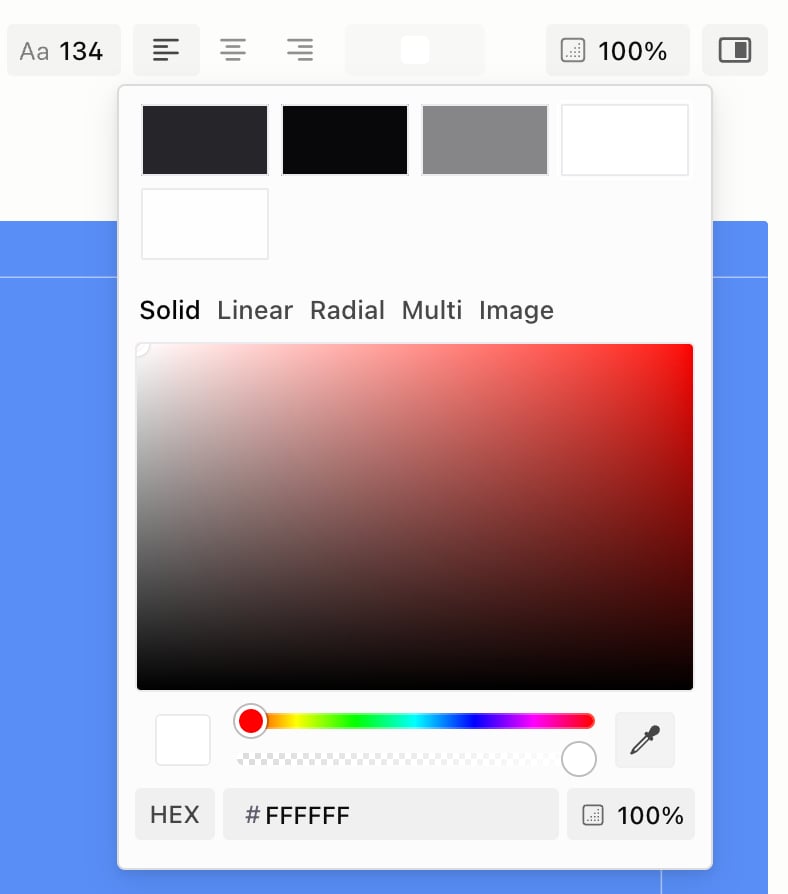
The color picker for a text color, with brand swatches at the top and the Solid, Linear, Radial, Multi and Image tabs
The swatches at the top are your brand colors. For a background or border, pick None to remove it.

Add effects

Click Show Detail Panel in the top bar, then click Add next to an effect. For Inner Shadow and Motion Blur, first hover the top of the panel, click See All and scroll down.

Project background

The small swatch in the header bar sets the background behind your whole video. It has the same tabs, including Shader. Related: Text · Animation · Brand Kit