Your Library keeps every project in one place, so it’s easy to pick up where you left off. Ask the Agent: “Rename this project to Q4 Launch.” · “Open my Onboarding Tour project.”

Do it yourself

The left sidebar

Find a project

At the top of the Library, type in Search, pick a sort order (Newest first, Oldest first, A - Z or Z - A), and switch between Grid and List. To group projects, click New Collection under Collections.

Manage a project

Right-click a project, or click its ⋯, to rename it, copy it and more.
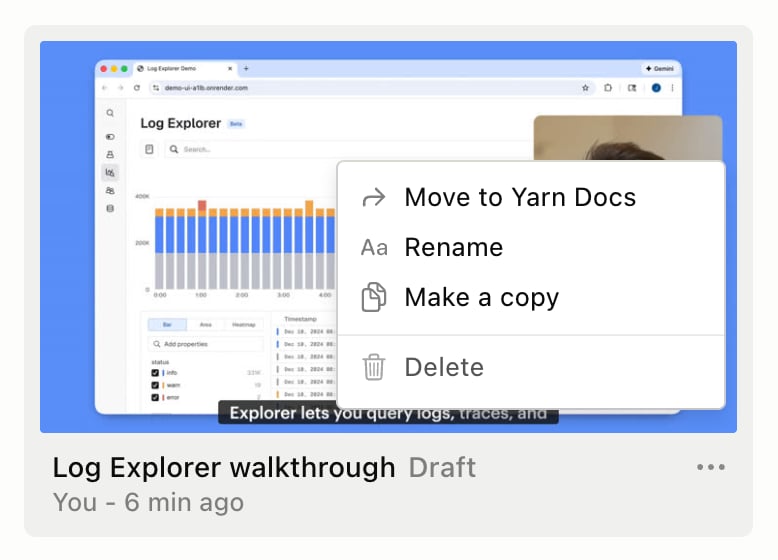
The right-click menu on a draft in the Library: Move to Yarn Docs, Rename, Make a copy and Delete
To copy the project you have open, choose Duplicate project from the ⋯ menu next to the panel tabs. The copy opens right away.

Drafts

A new project starts as a draft that only you can see, with a Draft badge. If you @mention a teammate in a comment on a draft, it moves to your workspace so they can see it. Related: Make your first video · Team and workspace · Brand Kit