Set your look once, and every screen recording in the project follows it.
The Agent can’t change these settings yet, but they’re all in one place.
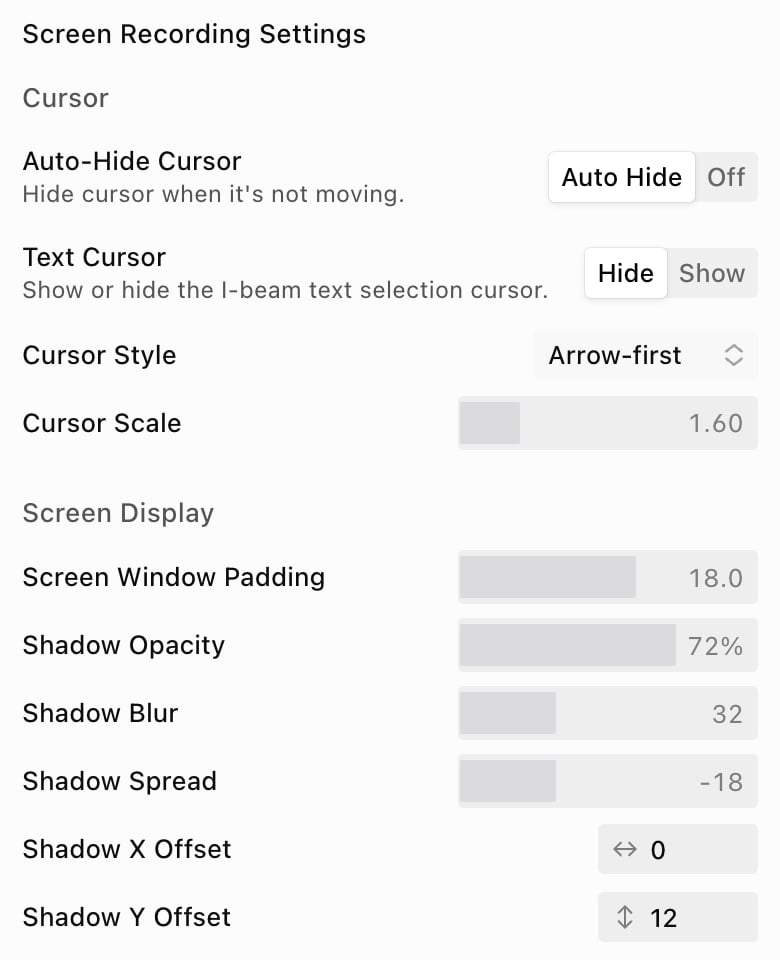
Open the ⋯ menu next to the panel tabs and choose Screen Recording Settings…. Click Done when you’re finished.
The Screen Recording Settings panel, showing the Cursor and Screen Display settings
To set the look for new projects, use Screen Recordings in your Brand Kit.

Cursor

Screen Display

Sound Effects

Turn on Cursor Clicks or Keyboard Presses, then choose how loud they are. See Music and sound effects.

Visual Effects

Related: Display and framing · Zooms · Sync points, skips and speed